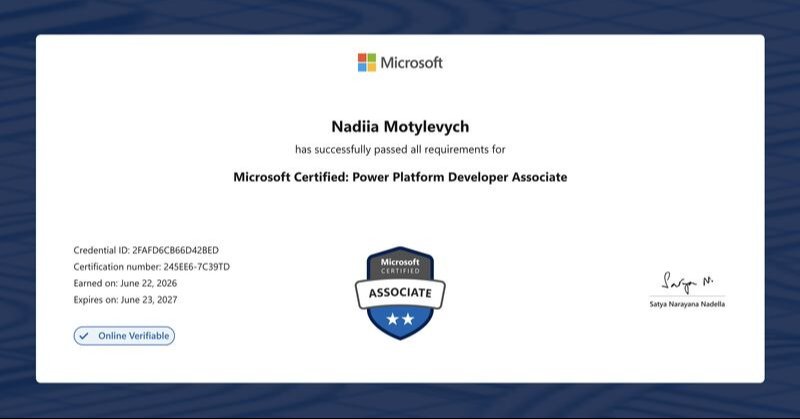
Microsoft Certified: Power Platform Developer Associate
Overview : The Microsoft Power Platform helps organisations optimise their operations by simplifying, automating and transforming business tasks and processes. In this course, students will learn how to design, develop, test and troubleshoot solution components that use the extension points of Microsoft Power Platform. You use traditional code to solve challenges not appropriate with low-code.

Our Objectives
What we aim to achieve through this training
Create a technical design
Build Power Platform solutions
Implement Power Apps improvements
Extend the user experience
Extend the platform
Develop integrations
Implement Security and Compliance
Optimise and Maintain Solutions
What You'll Learn?
Gain practical, job-ready skills to excel in this field
Technical Architecture and Solution Design
Learn to design and analyse technical architecture, define authentication and authorisation strategies, implement business logic, configure data models and build solution components with Power Apps, Dataverse and Power Automate integrations.
Power Platform Solution Configuration and Lifecycle Management
Learn to configure and troubleshoot Microsoft Power Platform environments, implement security roles, manage application lifecycle with ALM and build CI/CD pipelines using Power Platform Build Tools.
Power Apps Advanced Features and Optimisation
Learn to implement advanced canvas app capabilities with complex Power Fx formulas, build reusable component libraries, integrate business logic using Power Automate flows and optimise app performance through monitoring, troubleshooting and data handling techniques.
Extending the Power Apps User Experience
Learn to enhance model‑driven apps with client scripting, JavaScript and Power Fx, configure custom commands and navigation and build advanced Power Apps Component Framework (PCF) code components with lifecycle events, manifests and API integrations.
Extending Microsoft Power Platform Solutions
Master advanced extension techniques by creating Dataverse plug‑ins, custom APIs and connectors, leveraging platform APIs and Azure Functions and configuring Power Automate flows to deliver scalable, secure and integrated business solutions.
Dataverse Event Publishing and Data Integration
Learn to publish and consume Dataverse events with service endpoints, webhooks and Azure integrations and implement secure, efficient data synchronisation using change tracking, alternate keys and UpsertRequest operations.
Course Curriculum
Structured learning path to master Microsoft Certified: Power Platform Developer Associate
Use advance techniques in canvas apps to perform custom updates and optimisation
Imperative development techniques can help you achieve the goal for your app. You learn about different development methods and different variables in Power Apps.
- Use imperative development techniques for canvas apps in Power Apps
- Perform custom updates in a Power Apps canvas app
- Use Dataverse choice columns with formulas
- Reduce complexity in your data model with Dataverse table relationships
- Work with relational data in a Power Apps canvas app
- Work with data source limits (delegation limits) in a Power Apps canvas app
- Complete testing and performance checks in a Power Apps canvas app
- Optimise app load time
- Use Monitor to troubleshoot Power Apps
- Use Power Apps Instrumentation with Application Insights
Automate a business process with expressions and Dataverse actions using Power Automate
Power Automate is an online workflow service that automates actions across the most common apps and services.
- Get started with Power Automate
- Introduction to expressions in Power Automate
- Use Dataverse triggers and actions in Power Automate
Introduction to developing with Microsoft Power Platform
The goal of this module is to give a broad-scoped overview of the developer experience as it relates to Microsoft Power Platform. It will cover a high-level introduction how the ecosystem is represented, with the intended audience being a software developer with limited experience in working with Microsoft Power Platform.
- Introduction to Microsoft Power Platform developer resources
- Use developer tools to extend Power Platform
- Introduction to extending Power Platform
Extend the user experience with client scripting and command bar customisation
This learning path teaches you to how to create client scripting, perform common actions with client script and how to customise the command bar.
- Perform common actions with client script in Power Platform
- Automate business process flows with client script
- Customise the command bar
Build basic code components with the Power Apps Component Framework
This learning path introduces you to Microsoft Power Apps component framework, teaches you how to build a custom component, create a solution package and test and debug the component.
- Get started with Power Apps component framework
- Build a Power Apps component
Extending Power Platform Dataverse
This learning path looks at the tools and resources needed for extending Power Platform. We'll start with looking at the SDKs, the extensibility model and event framework. This learning path also covers when to use plug-ins. Configuration of plug-ins as well as registering and deploying plug-ins.
- Introduction to Dataverse for developers
- Extend plug-ins in Power Platform
- Work with Dataverse Web API
Integrate with Dataverse and Azure
This learning path provides an in-depth overview of Dataverse integration with Azure, including data and event handling. It also covers creating and deploying Azure Functions, along with exploring hosting options, bindings and triggers.
- Integrate Dataverse Azure solutions
- Explore Azure Functions
- Develop Azure Functions
Get started with custom connectors for Microsoft Power Platform
This learning path explores custom connectors in Power Platform and explains how to configure and use them with apps and flows.
- Get started with custom connectors in Microsoft Power Platform
- Discover and use Web APIs with Power Apps
- Configure custom connectors with authenticated APIs in Microsoft Power Platform
- Configure policy templates for custom connectors in Microsoft Power Platform
- Create Microsoft Power Platform OpenAPI custom connectors
Basic application lifecycle management in Microsoft Power Platform
In this learning path, you'll learn how to create and manage solutions, understand solution layering and explore version control for solutions.
- Manage solutions in Power Apps and Power Automate
- Introduction to solutions for Microsoft Power Platform
Certification & Exam Details
| Exam Name | Microsoft Certified: Power Platform Developer Associate |
| Exam Code | PL-400 |
| Exam Duration | 120 minutes |
| Number of Questions | 40–60 (Multiple Choice / Interactive) |
| Passing Score | 700 or Greater is required to pass |
| Language of Exam | English |
Why Choose Edura for an Online Course?
Empowering your career with globally recognized excellence.
Edura partners with global certification bodies (like PostgreSQL ,Microsoft, ICAEW, etc.) to deliver industry‑aligned courses.
Our courses are designed around real-world industry requirements, ensuring learners gain relevant and up-to-date skills that create meaningful career opportunities.
Learn from experienced instructors who bring practical industry insights, technical expertise and proven methodologies into every session.
Our programs are structured to help professionals enhance their capabilities, achieve certifications and progress confidently in their careers.
Experience learning beyond theory through interactive sessions, real-world scenarios, hands-on labs and practical assignments that build workplace confidence.
Options include classroom, online and blended formats, making it accessible for working professionals and students.
Who Can Join?
Designed for anyone starting their learning journey
IT Professionals
Broaden skills in cloud and identity
Azure Administrators
Manage Azure resources and services
Systems Administrators
Oversee infrastructure and user access
Aspiring Cloud Administrators
Begin careers in cloud management
Fresh IT Graduates
Gain entry‑level cloud and identity expertise
Job Seekers
Boost employability with Microsoft skills
Career Paths
Roles and opportunities following this course
Entry Level / Foundation Roles
Junior Power Platform Developer, Low Code App Builder, Business Systems Analyst
Mid Level / Specialised Roles
Power Platform Developer, Dynamics 365 Specialist, Cloud Solutions Specialist, Database Security Specialist
Advanced / Leadership Roles
Solution Architect (Power Platform / Dynamics 365), Data Platform Consultant, IT Manager / Technical Lead
How To Get Certified?
Register at Edura Training and Development
Complete the recommended training modules
Pass the final assessment
Earn your Microsoft Certified Power Platform Developer Associate Certification